

Download BlitzSweep
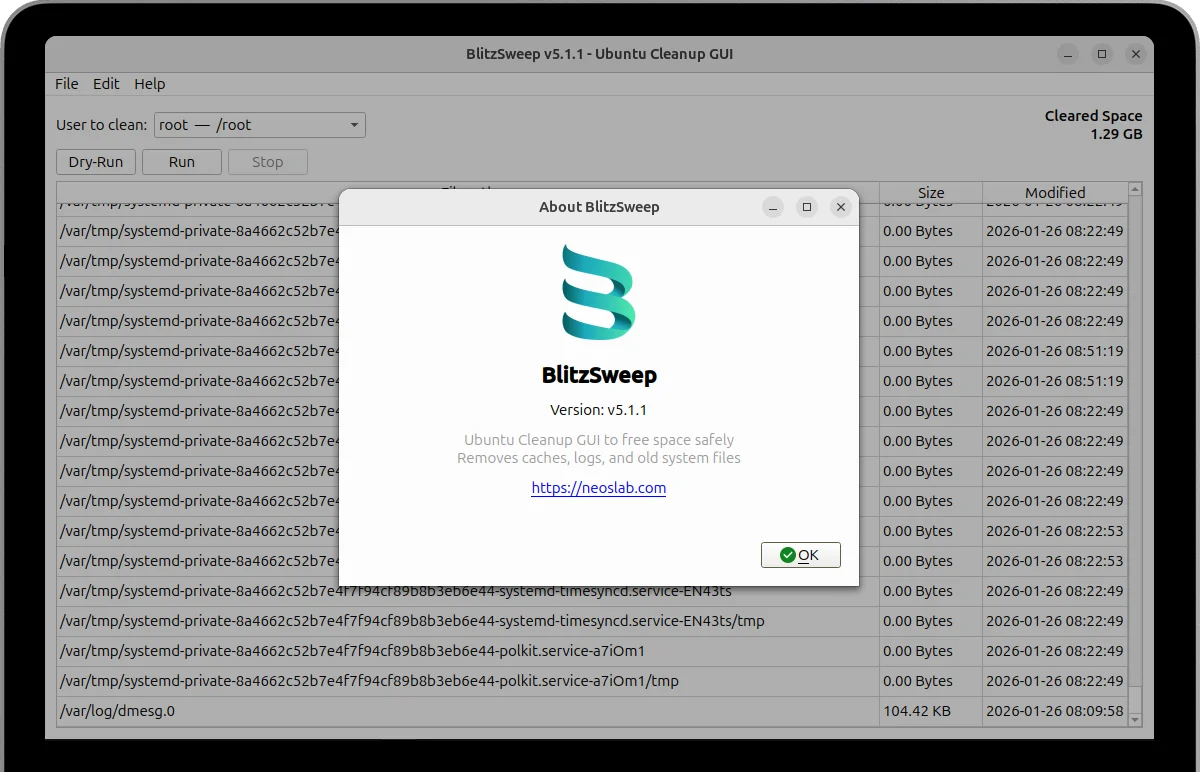
Streamline your Ubuntu/Debian system maintenance with BlitzSweep - the intuitive GUI cleanup tool that removes unnecessary files, caches, and logs while keeping your system running smoothly.
Open source and completely free
No root access required for basic cleanup
Installation Guide
Select your preferred installation approach to get BlitzSweep running on your system. BlitzSweep is optimized for Ubuntu 22.04, 23.04, 23.10, 24.04 24.10. Our installation process includes comprehensive dependency management, automatic configuration, and post-installation verification to ensure a smooth setup experience.
Install from DEB Package (Recommended)
Download the latest DEB package and install using dpkg. This method automatically handles dependencies.
1. Download the BlitzSweep package
Downloads the latest BlitzSweep DEB package directly from GitHub releases repository (v5.1.3)
wget https://github.com/neoslab/blitzsweep/releases/download/v5.1.3/blitzsweep_5.1.3_all.deb2. Install the DEB package
Uses dpkg package manager with sudo privileges to install BlitzSweep system-wide on your Ubuntu system
sudo dpkg -i blitzsweep_5.1.3_all.deb3. Fix missing dependencies
Automatically resolves any missing system dependencies that BlitzSweep requires for proper functionality
sudo apt-get install -f4. Launch BlitzSweep
Starts the BlitzSweep application directly from terminal or search for it in your system application menu
blitzsweepInstall from Source
For developers or users who want the latest features. Requires Python 3.12+ and pip.
1. Clone the repository
Downloads the complete BlitzSweep source code repository from the official GitHub project page
git clone https://github.com/neoslab/blitzsweep.git2. Navigate to directory
Changes your current working directory to the BlitzSweep source code folder you just downloaded
cd blitzsweep3. Update package lists
Refreshes your system's APT package repository information to ensure access to latest packages
sudo apt update4. Install system dependencies
Installs all required system packages including Python Qt6 GUI framework bindings and trash utilities
sudo apt install -y python3-pyqt6 python3-pyqt6.qt6-tools trash-cli5. Upgrade Python package manager
Ensures pip (Python package installer) is updated to latest version for reliable dependency installation
python -m pip install --upgrade pip6. Install Python dependencies
Installs all required Python packages and libraries from the project's requirements.txt configuration file
python -m pip install -r requirements.txt7. Run BlitzSweep
Starts the BlitzSweep application directly from Python source code without system-wide installation
python main.py8. Create desktop entry (Optional)
Adds BlitzSweep to your system application menu for easy launching without using terminal commands
sudo cp blitzsweep.desktop /usr/share/applications/Smart cleanup algorithms identify unnecessary files while preserving system stability and user data integrity throughout the process
Multi-layer safety features including dry-run mode, itemized previews, and emergency stop functionality prevent accidental data loss
Automated system with root task handling via pkexec and live progress tracking for optimized cleanup efficiency and resource oversight
Track latest improvements and system compatibility updates in the Release Notes
Frequently Asked Questions
Find immediate answers to frequently asked questions about BlitzSweep's installation process, daily operational usage guidelines, advanced feature implementation, and comprehensive system compatibility requirements for different Linux distributions and desktop environments.
View All FAQsView All FAQs- System requirements for BlitzSweep
BlitzSweep requires Ubuntu 22.04+ or Debian-based systems with Python 3.12+, PyQt6, and standard system utilities. Minimum 2GB RAM recommended for optimal performance during cleanup operations.
- Safety and data protection features
BlitzSweep includes multiple safety layers: dry-run preview mode, per-item selection, user confirmation prompts, and emergency stop functionality. All trash operations use system trash mechanisms with recovery options.
- Root privileges and permissions
Standard user cleanup requires no root access - handles user cache, browser data, and temporary files without elevated privileges
System-level tasks (journal cleanup, kernel removal, package pruning) use pkexec for temporary privilege escalation with user confirmation
- Supported distributions and compatibility
Officially supports Ubuntu 22.04+, 23.04+, and Debian 11+. Community-tested on Linux Mint, Pop!_OS, elementary OS, and Zorin OS with full functionality across most Debian derivatives.
- Troubleshooting and support resources
Check the GitHub Issues page for known problems and community solutions to common installation and runtime challenges
Enable verbose logging in preferences for detailed operation tracking and submit debug information when reporting technical issues